Tech Tips
Simple Tech Tips for Beginners: Easy Guide for 2026

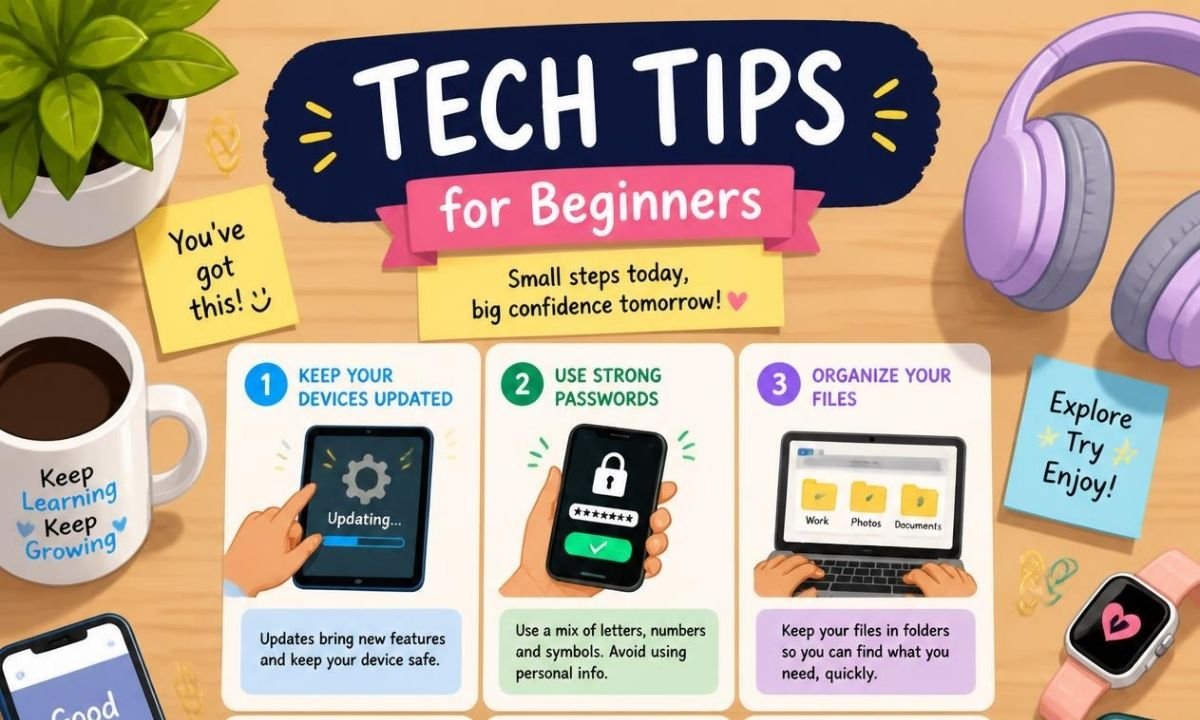
Simple tech tips for beginners are easy steps that help new users feel safe and smart with technology. These tips are not only for people who use computers. They also help people who use phones, tablets, smart TVs, online banking, email, and social media. In 2026, technology is part of almost every daily task. People use it to study, work, shop, chat, pay bills, take photos, save files, and learn new skills. But many beginners feel confused because apps, settings, passwords, and updates can look hard at first. The good news is that technology becomes easier when you learn one small habit at a time.
Why Tech Skills Matter in 2026
Simple tech tips for beginners are more important in 2026 because digital tools are growing fast. Many websites now use AI chat tools, online forms, smart search, passkeys, cloud storage, and video meetings. This means beginners need basic digital confidence. You do not need to become a tech expert. You only need to know how to keep your device updated, protect your accounts, avoid scams, save your files, and use search tools in a better way. These small skills can save time, money, and stress.
Keep Your Devices Updated
One of the best simple tech tips for beginners is to update your phone, laptop, browser, and apps. Updates fix bugs and close security holes. They also make apps run better. Many beginners press “remind me later” again and again. This can make the device slower and less safe. A good habit is to turn on automatic updates when possible. The FTC also advises users to keep software updated as part of basic online protection.
Use Strong Passwords and Passkeys
Passwords are still important, but 2026 is also the age of passkeys. A passkey lets you sign in with your fingerprint, face scan, or device screen lock instead of typing a password. Google says passkeys are an easier and more secure way to sign in because they reduce common password problems. If a website offers a passkey, try using it for important accounts like email, banking, or shopping. If you still use passwords, make each one long and different.
Do Not Use the Same Password Everywhere
Many beginners use one password for many accounts. This is risky. If one website gets hacked, someone may try the same password on your email, bank, or social media account. A simple fix is to use a password manager. It can save your passwords and help create strong ones. Google Password Manager, for example, can help users create and use strong passwords and passkeys across accounts. This makes life easier because you do not need to remember every password by yourself.
Turn On Two-Factor Authentication
Two-factor authentication is also called 2FA or multi-factor authentication. It means your account asks for one more step after your password. This step may be a code, app approval, fingerprint, or security key. CISA explains that multi-factor authentication adds more than a password to protect an account. This is one of the most useful simple tech tips for beginners because it protects accounts even if a password is stolen. Start with your email account first because your email often controls password resets for other apps.
Learn How to Spot Online Scams
Online scams are getting smarter in 2026. Some fake emails and texts now look very real. A scam message may say your bank account is blocked, your package is waiting, or you won a prize. It may ask you to click a link fast. Slow down before you click. Check the sender, spelling, website address, and message tone. The FTC warns that phishing scams try to steal information and recommends multi-factor authentication to help protect accounts. A simple rule is this: when a message makes you feel rushed or scared, stop and check first.
Be Careful With Downloads and QR Codes
Beginners should be careful before downloading files, apps, or browser extensions. Only download apps from trusted stores or official websites. Do not install random tools that promise free movies, free games, or free money. QR codes also need care. A QR code can open a website, payment page, or app link. Before entering private details, check the page name and address. If a QR code is on a strange poster, email, or message, think twice. This simple habit can prevent many online problems.
Clean and Organize Your Device
A messy device can slow you down. Keep your home screen simple. Delete apps you do not use. Move important apps to the first page. Rename files with clear names, such as “School Notes July 2026” or “Tax Documents 2026.” Make folders for photos, bills, work, and personal files. This is one of the most practical simple tech tips for beginners because it makes your phone or computer feel easier to use. Good organization also helps you find things faster.
Back Up Your Important Files
A backup is a second copy of your important files. It protects your photos, documents, contacts, and videos if your phone breaks or your laptop is lost. You can use cloud storage, an external drive, or both. Many phones can back up photos and contacts automatically. Check your backup settings once a month. Do not wait until something goes wrong. A backup is like a safety net. You may not need it every day, but when you need it, it can save everything.
Check App Permissions
Apps often ask for permission to use your camera, microphone, contacts, photos, or location. Some permissions are normal. A map app needs location. A video call app needs camera and microphone access. But a simple calculator app does not need your contacts. Open your phone settings and review app permissions. Turn off access that does not make sense. This protects your privacy and can also save battery. Beginners should do this slowly, one app at a time.
Use Search and AI Tools Carefully
Search engines and AI tools can help beginners learn faster. You can ask how to fix a setting, write a message, compare products, or explain a hard topic. But do not trust every answer without checking. For health, money, law, or safety topics, use trusted sources. AI can make mistakes, and search results can show ads or old information. A smart beginner uses technology as a helper, not as the final judge. This is a fresh 2026 habit that every new user should learn.
Build One Small Tech Habit Each Week
You do not need to learn everything in one day. Start with one habit this week. Update your phone. Next week, turn on 2FA. After that, clean old apps. Then learn backups. Simple tech tips for beginners work best when they feel easy, not stressful. Technology should help your life, not confuse it. When you learn small steps, you become more confident. Over time, you will feel safer online, faster on your device, and more ready for new tools.
Final Thoughts
Simple tech tips for beginners are not hard rules. They are small, smart habits for daily digital life. In 2026, the best beginner skills are account safety, updates, backups, privacy checks, scam awareness, and careful use of AI tools. Start with the basics and keep learning. Every small step makes technology easier, safer, and more useful.
FAQs
What are simple tech tips for beginners?
Simple tech tips for beginners are basic digital habits that help new users use phones, computers, apps, and websites with more confidence. They include updating devices, using strong passwords, turning on two-factor authentication, backing up files, avoiding scams, and checking privacy settings.
Why are tech tips important for beginners in 2026?
Tech tips are important in 2026 because many daily tasks now happen online. People use technology for work, school, shopping, banking, health services, and communication. Basic tech skills help beginners stay safe, save time, and avoid common digital mistakes.
What is the easiest tech tip to start with?
The easiest tech tip is to update your device and apps. Most phones and computers allow automatic updates. This small step can improve security, fix errors, and help your device work better without much effort.
Are passkeys better than passwords?
Passkeys can be easier and safer than passwords on many supported websites. They often use a fingerprint, face scan, or screen lock. They also reduce the risk of password reuse and phishing. Still, beginners should keep recovery options updated in case they lose access to a device.
How can beginners avoid online scams?
Beginners can avoid online scams by slowing down before clicking links. Check the sender, website address, and message details. Do not share codes, passwords, or bank details through random messages. When unsure, open the official website or app directly instead of using a message link.
How often should I back up my files?
You should back up important files at least once a month. If you take many photos, work online, or save important documents, automatic cloud backup is better. A good backup keeps your data safe if your device is damaged, stolen, or lost.


Top Benefits of Choosing a Velo Electrique Puissant for Urban Commuting

Michelle Gumbel: What to Know About Greg Gumbel’s Daughter

Theodora Holmes Husband: How She Built a Private Life With Troy Polamalu

Jean Taynton Age: What We Know About John Lithgow’s First Wife

Summer Odalis Beckham Age: Meet Odell Beckham Jr.’s Youngest Sister

David Hefner Age: How Old Is Hugh Hefner’s Son Today?

Meet Samantha Rotunda: The Woman Once Married to Bray Wyatt

Who Was Amy Arnaz? Life Story of Desi Arnaz Jr.’s Wife

Kirsten Barlow Age: How Old Is Joe Lando’s Wife Today?

Alma Gonzales Today: What Happened After Richard Thomas?
Top Benefits of Choosing a Velo Electrique Puissant for Urban Commuting
Michelle Gumbel: What to Know About Greg Gumbel’s Daughter
Theodora Holmes Husband: How She Built a Private Life With Troy Polamalu
Jean Taynton Age: What We Know About John Lithgow’s First Wife
Summer Odalis Beckham Age: Meet Odell Beckham Jr.’s Youngest Sister
David Hefner Age: How Old Is Hugh Hefner’s Son Today?
Meet Samantha Rotunda: The Woman Once Married to Bray Wyatt
Who Was Amy Arnaz? Life Story of Desi Arnaz Jr.’s Wife
Kirsten Barlow Age: How Old Is Joe Lando’s Wife Today?
Alma Gonzales Today: What Happened After Richard Thomas?
-

 Celebrity3 months ago
Leonardo DiCaprio Daughter: The Real Story in 2026
-

 Entertainment3 months ago
What Is Latest Entertainment News 2026? Big Updates in Movies, Music, and TV
-

 Technology3 months ago
Best Budget Gadgets for Students in 2026: Smart Tools That Save Money
-

 Celebrity3 months ago
Celebrity Wife Biography: Why Fans Search for Famous Family Stories