Guide
Latest Mobile Hotspot For Online Work: Simple Guide for 2026

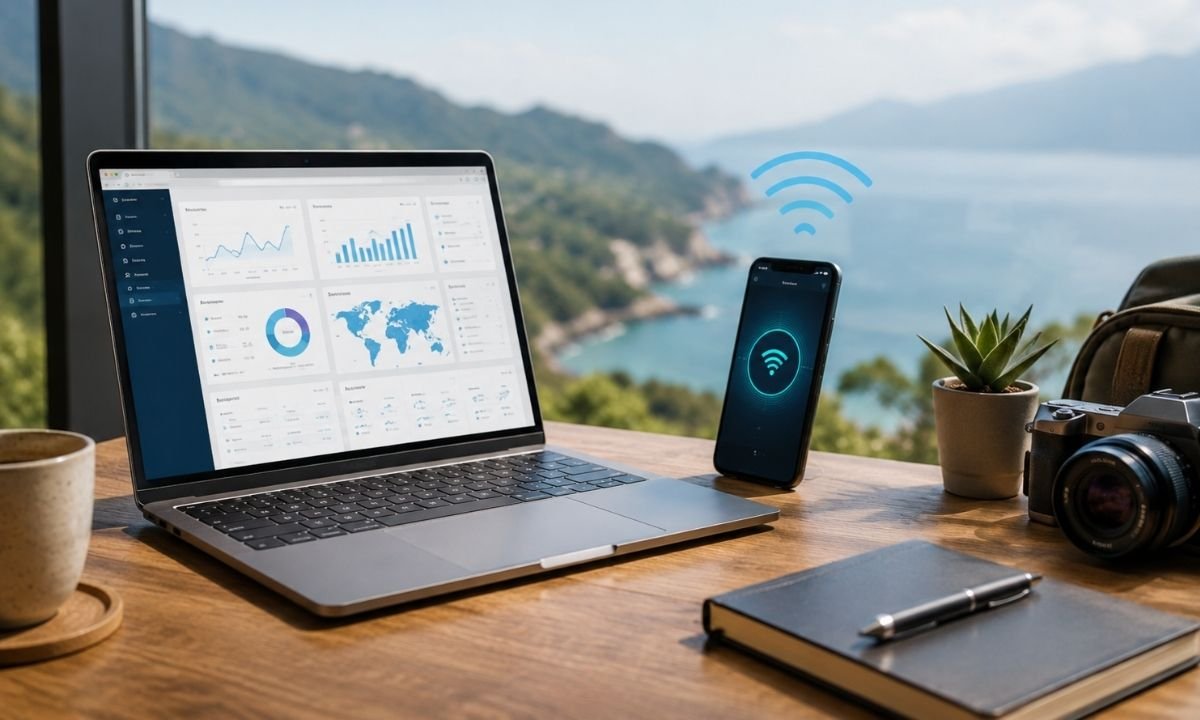
A latest mobile hotspot for online work is now more than a small internet box. In 2026, it is a work tool for people who write, sell, teach, design, code, or meet clients. Many people no longer work from one desk every day. They work from home, hotels, cafés, cars, or trips. This is why the latest mobile hotspot for online work matters so much. It gives your devices a private internet link when public Wi-Fi is weak or unsafe. A good hotspot is about steady signal, safe access, long battery life, and easy setup.
What Is a Mobile Hotspot?
A mobile hotspot is a small device, phone feature, or portable router that uses a mobile network to make Wi-Fi for your devices. The latest mobile hotspot for online work uses 4G LTE, 5G, or newer 5G-Advanced networks, based on your country, carrier, and device. It takes the mobile signal from a SIM or eSIM and shares it with your laptop. This helps with video calls, emails, cloud files, classes, chats, and remote tasks. A phone can work as a hotspot, but a separate hotspot device is often better for long work days. It saves phone battery and may connect more devices.
Why Hotspots Matter More in 2026
The latest mobile hotspot for online work is important because online work now needs stable uploads and fast downloads. A worker may need to send large files, join video calls, upload product photos, back up data, or run a live stream. 5G-Advanced is becoming more important because 3GPP Release 18 is the first 5G-Advanced release. It adds better mobile broadband support and more advanced network features. 3GPP describes Release 18 as a new step for 5G that improves radio performance and supports wider use cases.
New 2026 Features to Know
A latest mobile hotspot for online work in 2026 may include 5G, Wi-Fi 6, Wi-Fi 6E, or Wi-Fi 7. Wi-Fi 7 is a big change because it adds Multi-Link Operation, wider channels, and better handling of many devices. Intel explains that Wi-Fi 7 can use Multi-Link Operation to send data across more than one band, which can improve speed, lower delay, and make links more reliable. Real speed still depends on tower distance, indoor walls, data plan limits, and how busy the network is.
5G and 5G-Advanced in Simple Words
A latest mobile hotspot for online work with 5G can be much faster than old 4G in good coverage areas. But 5G is not magic. Some places have strong 5G. Some places still depend on 4G. In 2026, the bigger story is 5G-Advanced. It is meant to improve speed, coverage, power use, and network quality over time. Qualcomm announced 5G-Advanced broadband platforms in 2025 with support for very high peak download speeds for fixed wireless access, showing where mobile broadband devices are moving. For a normal worker, the real benefit is simple. A better hotspot can keep video calls clearer, file uploads faster, and cloud tools more stable.
Wi-Fi 7 and Why It Helps Workers
Wi-Fi is the short-range signal from your hotspot to your laptop. Mobile data is the long-range signal from the cell tower to the hotspot. The latest mobile hotspot for online work needs both parts to be strong. Wi-Fi 7 can help when you connect many devices, such as a laptop, tablet, phone, camera, and printer. It may also help reduce lag when you are close to the hotspot. But you only get the full benefit if your laptop or phone also supports Wi-Fi 7. If your computer uses Wi-Fi 5 or Wi-Fi 6, the hotspot will still work, but it will use the older connection style.
Battery Life Is a Real Work Feature
A latest mobile hotspot for online work should have strong battery life. Speed is not helpful if the device dies before your work is done. A good hotspot should last through meetings, emails, research, and file sharing without needing power every hour. In 2026, many workers should look for USB-C charging, power bank support, battery saver settings, and clear battery status. Heavy 5G use can drain power faster than light browsing. Heat can also lower performance. If you work outside or inside a hot car, place the hotspot in shade. A cool device is often a more stable device.
Security Is a Big Reason to Use One
Public Wi-Fi is easy, but it can be risky. A latest mobile hotspot for online work gives you more control because you own the network name and password. This is useful for writers, freelancers, store owners, students, and small teams. Use a strong password, avoid sharing it with strangers, and turn on WPA2 or WPA3 security if the device supports it. Qualcomm says modern Wi-Fi products support stronger security features like WPA3, which is useful as more work moves through wireless devices. A hotspot is not a full security system, but it is safer than many open networks.
Best Places to Use a Hotspot
The latest mobile hotspot for online work is useful in many real places. It can help at home when fiber internet goes down. It can help on trips when hotel Wi-Fi is slow. It can help in a shop, clinic, warehouse, school, or small office that needs backup internet. It can also help field workers who send reports from outside. A recent review of a SIM-ready 5G router noted that mobile broadband can work well as a fallback when fixed broadband is weak, and the reviewed device supported Wi-Fi 7 and automatic failover for backup use. Online workers need internet that stays ready.
How to Choose the Right Device
Before buying the latest mobile hotspot for online work, check your real work needs. Do you join long video calls? Do you upload large files? Do you travel often? Do you need one laptop or many devices? Look for 5G support if your area has good 5G. Look for strong 4G support if your area does not. Look for external antenna ports if you work in rural places. Look for Ethernet if you want to plug in a desktop or router. Look for eSIM support if you travel across countries. The best device fits your signal, plan, and work style.
Data Plans Can Make or Break It
A latest mobile hotspot for online work is only as useful as the data plan behind it. Some plans look unlimited, but may slow down after heavy use. Some plans allow phone data but limit hotspot data. Some plans have better upload speed than others. Read the small details before you buy. For online work, avoid plans that slow down too early. Video calls, cloud backup, website uploads, and meetings can use a lot of data. If you work every day, choose a plan made for hotspot use, not just casual phone use. A latest mobile hotspot for online work needs a strong plan to show its real value.
Simple Setup Tips for Better Speed
You can improve the latest mobile hotspot for online work with simple steps. Put the hotspot near a window or higher place. Keep it away from metal objects, thick walls, and other electronics. Do not hide it in a bag while working. Use the 5 GHz or 6 GHz Wi-Fi band when you are near the hotspot and need fast speed. Use 2.4 GHz when you are farther away and need better range. Restart the device when it feels slow. Update the firmware when the maker provides safe updates. Also test a real video call, because work performance matters more than numbers.
Final Thoughts
The latest mobile hotspot for online work is one of the simplest tools for modern work freedom. It helps you stay online when home internet fails, when public Wi-Fi is unsafe, or when travel makes work harder. In 2026, the best choice is not just about the word “5G” on the box. It is about steady signal, safe Wi-Fi, enough battery, good upload speed, fair data plans, and support for newer standards like Wi-Fi 7 when needed. A latest mobile hotspot for online work can save a meeting, protect a deadline, and make remote work feel less stressful. Choose it with care, test it in your real work spots, and keep it updated. Then it becomes a small device with a big job.
FAQs
1. What is the latest mobile hotspot for online work?
The latest mobile hotspot for online work is a portable internet device that uses mobile data to create a private Wi-Fi network. It helps you connect a laptop, phone, or tablet when normal Wi-Fi is not available. In 2026, many newer hotspots support 5G, Wi-Fi 6, Wi-Fi 6E, or Wi-Fi 7. This can make online work smoother for meetings, uploads, emails, and cloud tools.
2. Is a phone hotspot enough for online work?
A phone hotspot is enough for light work, such as email, browsing, and small file sharing. But a separate latest mobile hotspot for online work is often better for long hours. It saves your phone battery and may give stronger signal handling. It can also connect more devices and stay cooler.
3. Do I need 5G for remote work?
You do not always need 5G. Many people can work well on strong 4G LTE. But a latest mobile hotspot for online work with 5G is useful if your area has good 5G coverage. It can help with video calls, fast downloads, and large uploads. The most important thing is steady speed, low delay, and a good data plan.
4. What speed is good for online work?
For simple work, 10 to 25 Mbps download speed can be enough. For video calls and file uploads, higher speed is better. Upload speed matters a lot for online work. A latest mobile hotspot for online work should give enough upload speed for clear calls and fast sharing. Also check latency. Lower latency makes meetings and cloud apps feel smoother.
5. Can a mobile hotspot replace home internet?
A latest mobile hotspot for online work can replace home internet for some people, but not for everyone. It depends on your data plan, signal strength, daily usage, and work type. If you stream, upload, and meet online all day, you need a strong plan and good coverage. For many users, the best setup is home internet plus a hotspot as backup.
6. How can I make my hotspot safer?
To make a latest mobile hotspot for online work safer, use a strong password and change the default network name. Turn on WPA2 or WPA3 security if the option is available. Keep the device software updated. Do not share your password in public places. For private business work, use a trusted VPN and avoid unknown public Wi-Fi.


Top Benefits of Choosing a Velo Electrique Puissant for Urban Commuting

Michelle Gumbel: What to Know About Greg Gumbel’s Daughter

Theodora Holmes Husband: How She Built a Private Life With Troy Polamalu

Jean Taynton Age: What We Know About John Lithgow’s First Wife

Summer Odalis Beckham Age: Meet Odell Beckham Jr.’s Youngest Sister

David Hefner Age: How Old Is Hugh Hefner’s Son Today?

Meet Samantha Rotunda: The Woman Once Married to Bray Wyatt

Who Was Amy Arnaz? Life Story of Desi Arnaz Jr.’s Wife

Kirsten Barlow Age: How Old Is Joe Lando’s Wife Today?

Alma Gonzales Today: What Happened After Richard Thomas?
Top Benefits of Choosing a Velo Electrique Puissant for Urban Commuting
Michelle Gumbel: What to Know About Greg Gumbel’s Daughter
Theodora Holmes Husband: How She Built a Private Life With Troy Polamalu
Jean Taynton Age: What We Know About John Lithgow’s First Wife
Summer Odalis Beckham Age: Meet Odell Beckham Jr.’s Youngest Sister
David Hefner Age: How Old Is Hugh Hefner’s Son Today?
Meet Samantha Rotunda: The Woman Once Married to Bray Wyatt
Who Was Amy Arnaz? Life Story of Desi Arnaz Jr.’s Wife
Kirsten Barlow Age: How Old Is Joe Lando’s Wife Today?
Alma Gonzales Today: What Happened After Richard Thomas?
-

 Celebrity3 months ago
Leonardo DiCaprio Daughter: The Real Story in 2026
-

 Entertainment3 months ago
What Is Latest Entertainment News 2026? Big Updates in Movies, Music, and TV
-

 Technology3 months ago
Best Budget Gadgets for Students in 2026: Smart Tools That Save Money
-

 Celebrity3 months ago
Celebrity Wife Biography: Why Fans Search for Famous Family Stories