
News
Password Manager For Students Facts: Simple Guide for 2026

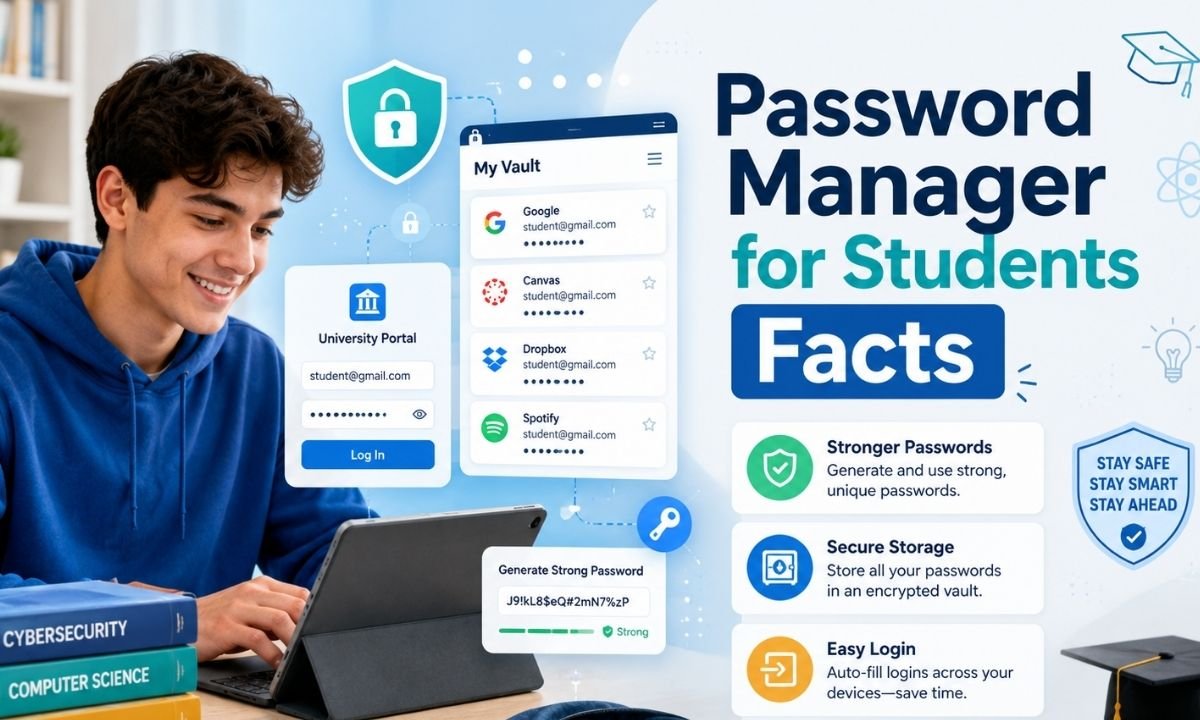
Password manager for students facts are simple truths about how students can keep school, email, banking, gaming, cloud, and social accounts safer in 2026. A password manager is an app that stores login details inside a locked digital vault. Students remember one strong master password, or use a passkey, fingerprint, or face unlock if the app supports it.
This matters because students use many online tools. A student may log in to a school portal, class app, email, video tool, document drive, scholarship site, library account, and payment app. Remembering safe passwords for all of these is not easy. That is why password manager for students facts are helpful. They show students how to stop password reuse, avoid weak passwords, and save time without losing safety.
Why Students Need Better Password Habits in 2026
The biggest reason students need password manager for students facts is simple: student life is now digital. Homework, grades, class notes, online tests, tuition payments, college forms, and personal photos may all sit behind passwords. If one weak password is stolen, a hacker may try it on many other accounts. This is called credential stuffing.
Verizon’s 2026 Data Breach Investigations Report says cyber threats are changing fast, with software vulnerabilities, ransomware, AI-assisted attacks, and mobile threats all rising in importance. It also notes that mobile threats can create higher click rates, which matters because many students check links on phones during busy school days.
Password Reuse Is a Big Student Risk
One of the most important password manager for students facts is that password reuse is dangerous. Many students use the same password because it feels easy. They may use one password for email, one for school, and one for everything else.
That habit can become a big problem. Verizon’s 2025 DBIR research said compromised credentials were an initial access vector in 22% of reviewed breaches, and its infostealer data showed that, in the median case, only 49% of a user’s passwords across services were distinct. A password manager helps students create a different password for every account, so one leaked password does not open every digital door.
NIST Recommends Password Managers
Another key part of password manager for students facts comes from NIST, a major U.S. standards agency. NIST says password managers are highly recommended for accounts that still require passwords. It explains that password managers can generate long, complex passwords and store them securely, so users do not need to memorize or write them down.
NIST also says the password manager login should support multifactor authentication, also called MFA, because that login protects the full vault. NIST’s simple advice is clear: use MFA, use a password manager, and make passwords at least 15 characters long when you must create one yourself.
How a Password Manager Works
To understand password manager for students facts, picture a locked school locker, but for online accounts. The password manager stores usernames, passwords, passkeys, notes, and sometimes recovery codes in an encrypted vault. When a student visits a real login page, the app can fill the correct username and password. When the student creates a new account, the app can build a long random password that is hard to guess. NIST’s digital identity guidance says services should allow password managers and autofill because they can help users choose stronger passwords. It also says distinct passwords are important because attackers use stolen passwords from one site to attack other sites.
Strong Passwords Do Not Have to Be Hard
A useful password manager for students facts lesson is that strong passwords do not need to be remembered one by one. The National Cybersecurity Alliance explains that strong passwords should be long, unique, and random. Its 2026 guidance says passwords should be at least 16 characters long, and it says each account needs its own password.
That sounds hard until a student uses a password manager. The app can make passwords with random letters, numbers, and symbols, then save them safely. The student only remembers the vault login. This makes strong security feel less like extra homework and more like a normal study tool.
Password Manager For Students Facts About School Accounts
Password manager for students facts are most useful when they connect to real student accounts. A school account may contain grades, attendance records, private messages, class files, and sometimes parent or payment information. A personal email account may be even more important because it can reset other passwords.
If a hacker controls a student’s email, they may try to reset social media, cloud storage, shopping, or bank accounts. For this reason, students should secure email first, then school portals, cloud drives, payment apps, and social accounts. A password manager makes this order easier because it can show weak, reused, or exposed passwords in one place.
Browser Saving Is Not Always Enough
Many students ask if the password saver inside a browser is the same as a password manager. This password manager for students facts guide gives a balanced answer. Browser password saving can be better than writing passwords in a notebook or using the same password everywhere. But a dedicated password manager may offer more tools, such as secure sharing, device syncing, password health checks, breach alerts, stronger vault settings, and support for many browsers and apps. The best choice depends on the student’s needs. What matters most is using unique passwords, locking the vault well, and turning on MFA.
MFA and Passkeys Make the Vault Stronger
Password manager for students facts should not stop at passwords. MFA adds a second step, such as an app code, fingerprint, face scan, security key, or approval prompt. The National Cybersecurity Alliance says MFA can still stop an attacker even if a password is stolen, as long as the user does not share the MFA code. It also explains that passkeys are a newer login option that can replace passwords on some sites and are worth using when available. Many modern password managers can store passkeys too. This is helpful for students because passkeys can make login faster and safer on phones, tablets, and laptops.
How Students Can Choose a Password Manager
Good password manager for students facts should help students choose wisely. A student should look for a password manager that has strong encryption, zero-knowledge design, MFA support, password generation, autofill, easy device sync, account recovery options, and a clear privacy policy. Free plans can be enough for one student, while family plans may help parents and children share important logins safely. Students should avoid unknown apps with poor reviews, unclear ownership, or weak security settings. They should also avoid storing passwords in plain text notes, screenshots, spreadsheets, or chat messages. A password vault is useful only when the app itself is trusted and the master login is protected.
Easy Setup Plan for Students
A smart password manager for students facts setup plan starts small. Choose a trusted password manager and install it on your phone and computer. Create a long master password or passphrase that is not used anywhere else. Turn on MFA for the vault. Add your email account first and change that password to a strong unique one. After that, add your school portal, cloud drive, and payment accounts. Use the password health tool to find repeated or weak passwords. Change a few old passwords each day until the main accounts are fixed.
Common Mistakes Students Should Avoid
Some password manager for students facts are warnings. Do not share your vault password with friends. Do not save your master password in a school notebook, public computer, or photo gallery. Do not approve MFA prompts you did not request. Do not copy passwords into random websites that claim to test password strength. Do not ignore breach alerts from your password manager. Do not use your school password for gaming, shopping, or social media. On shared computers, never save passwords there, always sign out, and clear the session when finished.
Final Thoughts
Password manager for students facts show that password safety is not only for tech experts. It is for every student who uses email, school portals, phones, apps, and online tools. In 2026, students face more digital risks because learning, money, identity, and social life are connected online. A password manager helps by creating strong unique passwords, storing them in an encrypted vault, filling real login pages, and warning about weak or repeated passwords. Add MFA, use passkeys when offered, and protect the vault like a house key. The best password manager for students facts are easy to remember: use one vault, one strong master login, unique passwords for every account, and extra protection for email and school accounts.
FAQs
1. What is the main idea behind password manager for students facts?
The main idea behind password manager for students facts is that students should not try to remember many weak passwords. A password manager creates and stores strong unique passwords for school, email, cloud, social, and personal accounts. This helps students stay safer and save time.
2. Is a password manager safe for students?
Yes, a trusted password manager can be safe for students when it uses strong encryption and the student protects the vault with a strong master password and MFA. The safest habit is to choose a known app, keep it updated, and never share the master login.
3. Why should students not use the same password everywhere?
Students should not reuse passwords because one data leak can put many accounts at risk. If a gaming site password is stolen and the same password is used for email or school, attackers may try it there too. This is one of the most important password manager for students facts.
4. What accounts should students protect first?
Students should protect email first because email can reset many other accounts. After that, they should secure school portals, cloud storage, payment apps, banking apps, scholarship accounts, and social media. A password manager can help students update these accounts one by one.
5. Do students still need MFA if they use a password manager?
Yes, students should use MFA even with a password manager. A strong password protects the first door, and MFA adds another lock. This matters most for email, school accounts, banking, cloud storage, and the password manager vault itself.
6. Can a password manager help with passkeys?
One newer password manager for students facts point is that many modern password managers can store or manage passkeys. Passkeys can reduce the need to type passwords on supported websites. For 2026, this is one of the newer password manager for students facts because more services are adding passkey support.

Top Benefits of Choosing a Velo Electrique Puissant for Urban Commuting

Michelle Gumbel: What to Know About Greg Gumbel’s Daughter

Theodora Holmes Husband: How She Built a Private Life With Troy Polamalu

Jean Taynton Age: What We Know About John Lithgow’s First Wife

Summer Odalis Beckham Age: Meet Odell Beckham Jr.’s Youngest Sister

David Hefner Age: How Old Is Hugh Hefner’s Son Today?

Meet Samantha Rotunda: The Woman Once Married to Bray Wyatt

Who Was Amy Arnaz? Life Story of Desi Arnaz Jr.’s Wife

Kirsten Barlow Age: How Old Is Joe Lando’s Wife Today?

Alma Gonzales Today: What Happened After Richard Thomas?
Top Benefits of Choosing a Velo Electrique Puissant for Urban Commuting
Michelle Gumbel: What to Know About Greg Gumbel’s Daughter
Theodora Holmes Husband: How She Built a Private Life With Troy Polamalu
Jean Taynton Age: What We Know About John Lithgow’s First Wife
Summer Odalis Beckham Age: Meet Odell Beckham Jr.’s Youngest Sister
David Hefner Age: How Old Is Hugh Hefner’s Son Today?
Meet Samantha Rotunda: The Woman Once Married to Bray Wyatt
Who Was Amy Arnaz? Life Story of Desi Arnaz Jr.’s Wife
Kirsten Barlow Age: How Old Is Joe Lando’s Wife Today?
Alma Gonzales Today: What Happened After Richard Thomas?
-

 Celebrity3 months ago
Leonardo DiCaprio Daughter: The Real Story in 2026
-

 Entertainment3 months ago
What Is Latest Entertainment News 2026? Big Updates in Movies, Music, and TV
-

 Technology3 months ago
Best Budget Gadgets for Students in 2026: Smart Tools That Save Money
-
 Tech3 months ago
Android Tips 2026: Simple Guide for 2026