
Blog
Daily Browser Extensions Explained Simply: Simple Guide for 2026

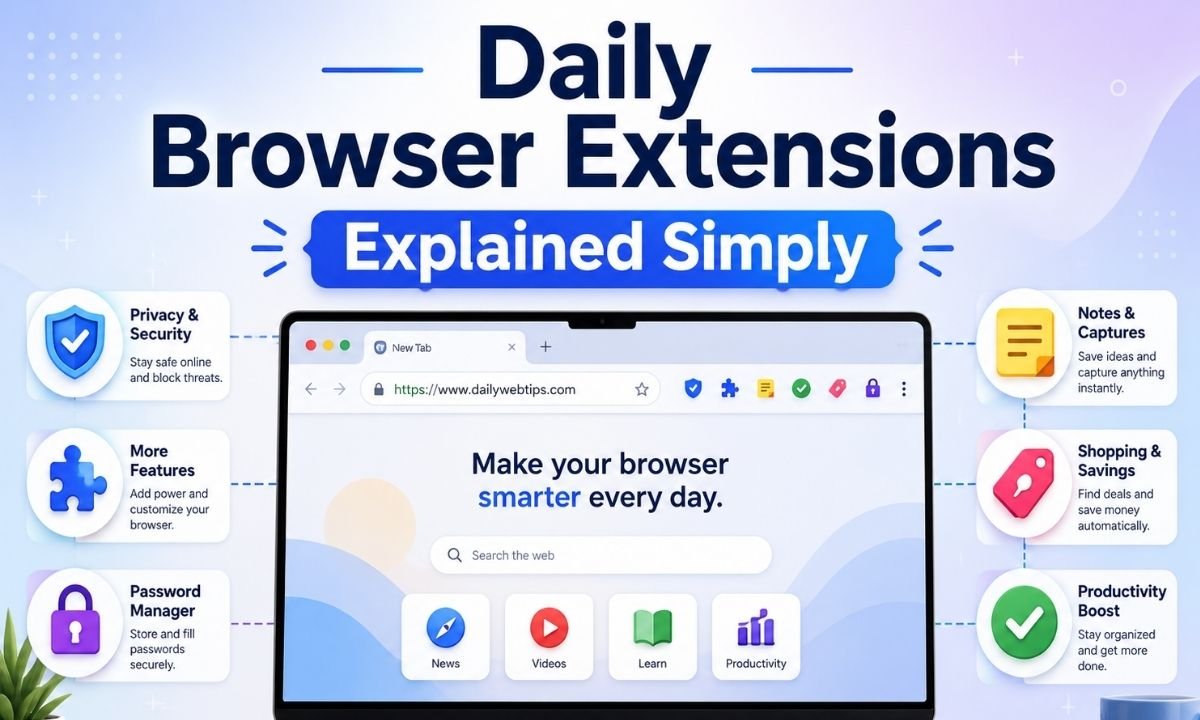
Daily browser extensions explained simply means small tools that make your web browser more helpful every day. A browser extension is like a mini app added to Chrome, Edge, Firefox, Brave, or another browser. It can block ads, save passwords, check grammar, take notes, translate pages, compare prices, manage tabs, or protect your privacy. In 2026, extensions are more important because people do more online work than before. Students study in browsers. Workers use web apps. Shoppers compare deals. Writers use online tools. Even simple users open many tabs every day. This is why the right extension can save time, reduce stress, and make browsing safer.
Why Browser Extensions Are So Popular Now
People like browser extensions because they work quietly inside the browser. You do not need to open a big app each time. For example, a password manager can fill your login details when you visit a website. A note extension can save an idea without leaving the page. A spelling checker can help you write better emails. A shopping extension can show price history while you view a product. This makes daily browser extensions explained simply a useful topic for normal users, not only tech experts. In 2026, many extensions also use AI features, but users must choose them carefully because fake AI extensions have become a real security problem.
How Browser Extensions Work in Simple Words
A browser extension adds extra powers to your browser. When you install it, the browser gives it permission to do certain jobs. Some extensions need very small access, such as changing the color of a page. Others need deeper access, such as reading website content, managing downloads, or checking the pages you visit. This is why permissions matter so much. Google’s Chrome Web Store rules say extensions should only request the minimum permissions needed for their real purpose. That is a smart safety rule because too much access can create privacy risk.
The Big 2026 Change: Safer Extension Rules
One of the biggest changes in recent years is the move from Manifest V2 to Manifest V3 in Chromium-based browsers like Chrome and Edge. Manifest is the rule system that tells a browser what an extension can do. Google’s developer timeline says Chrome disabled Manifest V2 extensions by default for all users on March 31, 2025, while the next phase slowly removes the option to turn them back on. For simple users, this means some old extensions may stop working or may need a newer version. It also means users should check whether their favorite tools are updated for 2026.
What Manifest V3 Means for Normal Users
Manifest V3 sounds technical, but the simple idea is this: browsers are trying to make extensions safer, faster, and easier to control. Some developers like the new system because it can reduce unsafe behavior. Some privacy fans worry that it may limit older ad blockers. Firefox has taken a different approach and says it supports Manifest V3 while keeping important blocking features for content blockers. This matters because not all browsers treat extensions the same way. So, when daily browser extensions explained simply is discussed in 2026, users should know that Chrome, Edge, Firefox, and other browsers may handle the same extension in different ways.
Best Types of Daily Browser Extensions
The best daily browser extensions are the ones that solve real problems without slowing you down. A password manager helps you use strong passwords without remembering all of them. A grammar tool helps you write clear emails, school work, and blog posts. A note-saving tool keeps small ideas in one place. A privacy tool can block trackers and unwanted ads. A tab manager keeps your browser clean when too many pages are open. A screenshot tool helps save web pages for study or work. A translation tool helps you read foreign websites. These tools are useful because they help with simple daily tasks, not just special tech work.
Privacy and Security Extensions
Privacy and security extensions are very useful, but they must be chosen with care. A good privacy extension can block trackers, reduce pop-ups, and stop risky pages. A password manager can store login details in an encrypted vault. A trusted security extension can warn you before visiting a harmful website. But a fake extension can do the opposite. It can track your searches, read your browsing activity, or send data to unknown servers. Recent reports have shown fake AI-themed extensions and malicious add-ons that looked useful but secretly collected user data. This is why safety should come before fancy features.
Productivity Extensions for Work and Study
Productivity extensions are perfect for students, bloggers, office workers, and online learners. They can help you save research, block distracting sites, organize bookmarks, manage tasks, and keep focus. A student can use a citation helper or note clipper while reading study pages. A writer can use a spelling and grammar checker while drafting articles. A remote worker can use a calendar extension to join meetings faster. A blogger can use SEO tools to check titles, keywords, and page structure. In this way, daily browser extensions explained simply becomes a guide to better habits. The goal is not to install many tools. The goal is to install the few tools that help every day.
Shopping, Money, and Deal Extensions
Shopping extensions are popular because they can save time and money. Some show coupon codes. Some compare prices across stores. Some show price history so you can see if a sale is real. Some track packages after you buy. These tools are helpful, but users must check privacy settings. A shopping extension may need access to product pages and checkout pages. That can be normal for its job, but it should still come from a trusted company. Read the extension page before installing. Check reviews, update history, privacy policy, and permissions. A deal is not worth it if the extension collects too much personal data.
AI Browser Extensions in 2026
AI browser extensions are one of the newest and fastest-growing extension groups. They can summarize articles, rewrite emails, explain hard text, create quick replies, and help with research. For bloggers, AI extensions can support outlines, grammar checks, and topic ideas. For students, they can explain web pages in simple words. But AI extensions also create new privacy questions. If an AI extension reads the page you are viewing, it may see private text, emails, work documents, or chat messages. Security researchers have found malicious AI-themed extensions in the Chrome Web Store ecosystem, including tools that copied famous AI names to trick users. So, install only trusted AI tools and avoid unknown copies.
How to Choose a Safe Extension
Choosing a safe extension is easier when you follow a simple rule: install less, check more. First, install extensions only from official stores, such as the Chrome Web Store, Firefox Add-ons, or Microsoft Edge Add-ons. Second, read the permission message before clicking install. Third, check the developer name. Fourth, read recent reviews, not only old reviews. Fifth, see when the extension was last updated. A 2024 research paper about the Chrome Web Store found that many extensions had short life cycles and many were not updated often, which can create security problems over time. A fresh and maintained extension is usually a better choice.
How Many Extensions Should You Use?
You do not need twenty extensions to have a smart browser. In fact, too many extensions can slow down browsing, create clutter, and increase privacy risk. A simple 2026 setup may include one password manager, one privacy tool, one note or bookmark tool, one writing helper, and one productivity tool. If you shop online often, you may add one trusted shopping extension. If you write or study often, you may add one trusted AI or grammar helper. This balanced setup keeps the browser useful but not crowded. Daily browser extensions explained simply should always include this advice: every extension should earn its place.
How to Clean and Manage Extensions
Many users install extensions and forget about them. That is not a good habit. Open your browser’s extension manager once a month. Remove tools you no longer use. Turn off extensions that only help sometimes. Review permissions after updates. Check if an extension changed its name, owner, or privacy policy. Bad extensions sometimes look safe at first and become risky after updates or ownership changes. Microsoft recently removed many malicious Edge extensions after a campaign that hid harmful code and affected millions of downloads, according to security reporting. This shows why extension cleaning is not only for speed. It is also for safety.
Daily Browser Extensions Explained Simply for Beginners
For beginners, the best way to understand extensions is to think of them as small helpers. They sit inside your browser and wait for a task. Some protect you. Some save time. Some help you write. Some help you shop. Some help you learn. But each helper needs some level of trust. A good extension tells you what it does, asks for fair permissions, gets regular updates, and has clear reviews. A risky extension may ask for too much access, use a confusing name, copy a famous brand, or promise impossible results. In 2026, smart browsing means using fewer tools but choosing better ones.
Final Thoughts
Daily browser extensions explained simply is not just a tech topic. It is a daily life topic. The browser is where many people study, work, shop, read news, write content, and manage accounts. Good extensions can make these jobs easier and safer. But unsafe extensions can create privacy and security problems. The best plan for 2026 is simple. Use trusted extensions. Keep them updated. Remove the ones you do not use. Read permissions before installing. Choose quality over quantity. When used wisely, browser extensions are small tools with big value. They can turn a normal browser into a cleaner, safer, and smarter daily workspace.
FAQs
What are daily browser extensions?
Daily browser extensions are small browser tools that help with everyday tasks. They can block ads, save passwords, check spelling, manage tabs, translate pages, take screenshots, save notes, or protect privacy. They work inside your browser, so you can use them while visiting websites.
Are browser extensions safe to use in 2026?
Many browser extensions are safe, but not all of them are safe. You should install extensions only from trusted stores and known developers. Always check permissions, reviews, update dates, and privacy policies. If an extension asks for too much access, it is better to avoid it.
Why do some old extensions stop working?
Some old extensions stop working because browsers change their extension rules. Chrome and other Chromium browsers have been moving from Manifest V2 to Manifest V3. This change affects older extensions. Developers may need to update their tools so they continue working in 2026.
How many browser extensions should I install?
You should install only the extensions you truly need. For most users, five to seven useful extensions are enough. Too many extensions can slow your browser, make it messy, and increase privacy risk. A small, trusted setup is better than a large and confusing one.
What are the best extensions for students?
Students may benefit from a grammar checker, note saver, bookmark manager, citation helper, focus timer, PDF tool, and trusted AI summary tool. These extensions can help with reading, writing, research, and study planning. Students should still check privacy settings before using any tool with school accounts.
Can browser extensions steal my data?
Yes, a bad browser extension can steal or track data if it has enough permission. It may read pages, track searches, or collect browsing history. This is why you must check permissions carefully. Do not install fake AI tools, unknown shopping tools, or extensions with very few real reviews.
What is the easiest way to manage browser extensions?
The easiest way is to check your extension manager once a month. Remove unused tools. Disable tools you only need sometimes. Update your browser. Read new permission alerts. Keep only extensions that are useful, trusted, and active. This simple habit keeps your browser faster and safer.

Top Benefits of Choosing a Velo Electrique Puissant for Urban Commuting

Michelle Gumbel: What to Know About Greg Gumbel’s Daughter

Theodora Holmes Husband: How She Built a Private Life With Troy Polamalu

Jean Taynton Age: What We Know About John Lithgow’s First Wife

Summer Odalis Beckham Age: Meet Odell Beckham Jr.’s Youngest Sister

David Hefner Age: How Old Is Hugh Hefner’s Son Today?

Meet Samantha Rotunda: The Woman Once Married to Bray Wyatt

Who Was Amy Arnaz? Life Story of Desi Arnaz Jr.’s Wife

Kirsten Barlow Age: How Old Is Joe Lando’s Wife Today?

Alma Gonzales Today: What Happened After Richard Thomas?
Top Benefits of Choosing a Velo Electrique Puissant for Urban Commuting
Michelle Gumbel: What to Know About Greg Gumbel’s Daughter
Theodora Holmes Husband: How She Built a Private Life With Troy Polamalu
Jean Taynton Age: What We Know About John Lithgow’s First Wife
Summer Odalis Beckham Age: Meet Odell Beckham Jr.’s Youngest Sister
David Hefner Age: How Old Is Hugh Hefner’s Son Today?
Meet Samantha Rotunda: The Woman Once Married to Bray Wyatt
Who Was Amy Arnaz? Life Story of Desi Arnaz Jr.’s Wife
Kirsten Barlow Age: How Old Is Joe Lando’s Wife Today?
Alma Gonzales Today: What Happened After Richard Thomas?
-

 Celebrity3 months ago
Leonardo DiCaprio Daughter: The Real Story in 2026
-

 Entertainment3 months ago
What Is Latest Entertainment News 2026? Big Updates in Movies, Music, and TV
-

 Technology3 months ago
Best Budget Gadgets for Students in 2026: Smart Tools That Save Money
-

 Celebrity3 months ago
Celebrity Wife Biography: Why Fans Search for Famous Family Stories